
Most online accounts still rely on passwords—email, banking, social media, SaaS tools, and even your website admin.
The problem is that weak or reused passwords are one of the fastest ways for attackers to take over accounts.
In this guide, you’ll learn what a secure password is, how to create one, and how a secure password generator
helps you stay protected without overthinking it.
If you want to skip straight to safer passwords, use our Secure Password Generator to create:
random passwords, memorable passphrases, or PINs.
Why strong passwords are still essential in 2026
Password attacks are rarely “manual guessing.” Most compromises happen through automation:
attackers test huge lists of leaked credentials (credential stuffing), run brute-force attacks against short passwords,
or exploit predictable patterns people reuse across accounts.
What can happen if your password isn’t secure?
- Email takeover (which can lead to password resets on other accounts)
- Financial loss (banking, payments, subscriptions)
- Identity theft and social engineering using your accounts
- Business compromise (CRM, cloud storage, ad accounts, admin dashboards)
- Reputation damage if an attacker posts or sends messages from your profile
The good news: password security is one of the easiest wins in cybersecurity.
A simple system—unique passwords, longer length, and MFA—reduces risk dramatically.
What is a secure password?
A secure password is one that’s difficult to guess and difficult to crack with automated tools.
In practical terms, secure passwords are:
- Long (length is your best friend)
- Unique (never reused across websites)
- Unpredictable (not based on personal info, patterns, or common words)
Note: “complex-looking” doesn’t always mean secure. Short passwords with substitutions like P@ssw0rd!
are extremely common and easy for attackers to predict.
Where do I find my secure password?
If you already have secure passwords, you typically “find” them in a place where you stored them safely:
- Password manager (recommended): your vault stores unique passwords per website
- Browser password manager: Chrome/Edge/Safari can store passwords (better than reusing)
- Company SSO (work accounts): your login may be managed by an identity provider
If you don’t know where your password is stored, avoid guessing repeatedly (that can trigger lockouts).
Use the website’s official password reset flow, then replace the password with one created using a
secure password generator.
How can I get my secure password?
The fastest way is to generate one. A secure password generator creates random, high-entropy passwords
that are far harder to crack than human-made passwords.
Use our generator here:
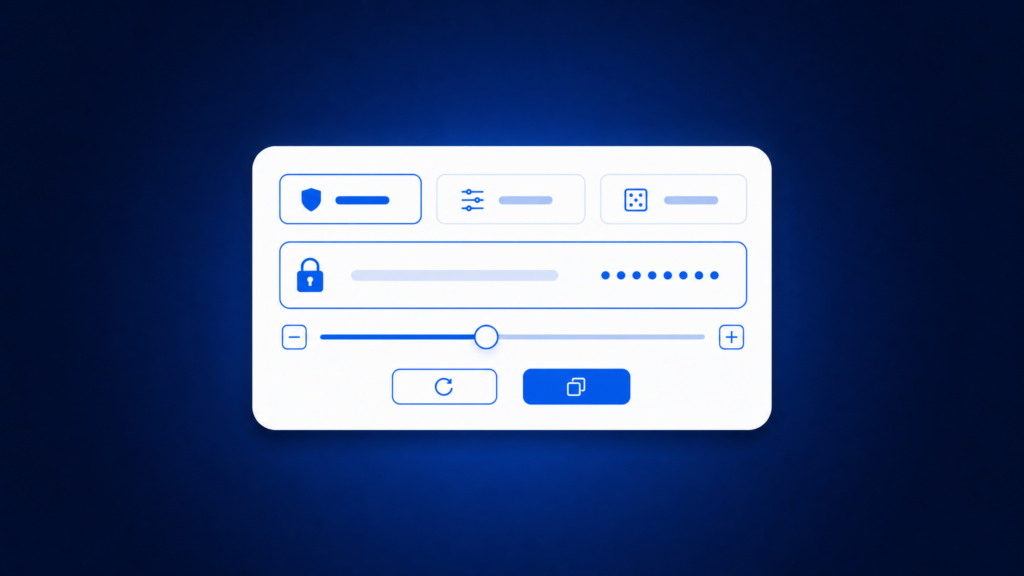
Choose password type Customize your new password Generated password
Recommended settings for a secure password generator
- Everyday accounts: 12–16 characters, random, unique
- Critical accounts (email, banking, admin): 16–24+ characters, random, unique
- When you must type it often: use a memorable passphrase (4–6 random words)
- Enable MFA on top of strong passwords whenever possible
What is an example of a secure password?
A secure password example should illustrate length and randomness.
For safety, don’t copy/paste the examples below—generate your own unique password instead.
What is a good secure password example?
- Random password (16+ chars):
fR9!q2Vx#7mL@1pZ(example only) - Memorable passphrase (4–6 words):
harbor-lunar-canyon-violet(example only)
What is a 12 strong password example?
12 characters can be strong if it’s truly random and unique.
Example (do not reuse): 9u#Q2mZ!7pXa.
If you can, increasing to 14–16+ characters is even better.
What is a strong 6 digit password?
A “6-digit password” is usually a PIN. PINs are short by design, so they’re never as strong as long passwords.
If you must use a 6-digit PIN, avoid:
123456, 111111, birthdays, repeated digits, or patterns like 121212.
Example of a better 6-digit PIN (example only): 482951. The best practice is to generate a unique PIN
and never reuse it across devices/services.
What is a good 8 password?
If “8 password” means 8 characters or 8 digits, it’s important to clarify:
8 characters is often the minimum on many sites, but it’s not ideal for high-value accounts.
Whenever possible, use 12–16+ characters or a passphrase.
What is a good 8 character password example?
If a site forces an 8-character password, make it as random as possible and never reuse it.
Example (do not reuse): Q7#v2!mP. If the site allows longer, go longer.
What are type 8 passwords?
People use “type 8” in different ways. Most commonly it refers to passwords that are:
8 characters long or an 8-digit PIN.
In both cases, the key is randomness and uniqueness, but longer passwords are safer.
What are the most common 8 digit passwords?
Common 8-digit passwords/PINs are typically patterns: repeated digits, ascending/descending sequences,
or dates (like birthdays). Attackers test these first. Avoid anything that looks like:
00000000, 11111111, 12345678, or a date format.
Use a generator to create a random 8-digit PIN instead, and keep it unique.
What is the best secure password?
The “best” secure password is one you didn’t invent yourself—because humans are predictable.
In practice, the strongest approach is:
a long, random, unique password generated by a secure password generator,
stored in a password manager, plus MFA.
Which password is most secure?
The most secure passwords are long and random (for example, 16–24+ characters with mixed character types),
unique per account, and stored safely. A long passphrase made of random words can also be extremely secure,
especially when it’s 4–6+ words and not a famous quote.
What is the 3 word password rule?
The “3-word password rule” is a passphrase approach: use three random words to create something longer and easier to remember
than a short password. Example format: word-word-word.
Important: three words is a good starting point, but 4–6 random words is even stronger, especially for important accounts.
Avoid phrases that are common, meaningful to you, or easy to guess.
What are the top 10 passwords? (And why you should never use them)
“Top passwords” lists usually include extremely weak choices like simple sequences, common words, and predictable patterns.
Attackers try these first. Instead of memorizing something “clever,” use a secure password generator
so your password is unique and unguessable.
If you’re curious for security awareness: the most commonly used passwords tend to look like:
short number sequences, repeated digits, keyboard patterns, or common words.
If your password resembles any of those categories, replace it immediately.
Best practices: a simple password system you can stick to
- Use a secure password generator for most accounts (12–24+ characters depending on importance).
- Never reuse passwords—one leak can compromise multiple accounts.
- Use a password manager to store and autofill safely.
- Enable MFA on email, banking, cloud tools, and admin panels.
- Rotate passwords when there’s a breach, suspicious activity, or shared access risk.
Frequently Asked Questions (FAQ)
What is a secure password?
A secure password is long, random, and unique for each account. The easiest way to create one is with a secure password generator.
Where do I find my secure password?
In a password manager or a browser password vault—wherever you saved it securely. If you can’t find it, use the official reset flow and generate a new one.
How can I get my secure password?
Generate a new one using a secure password generator, then store it in a password manager so you don’t need to memorize it.
What is an example of a secure password?
A good example is a long random string or a random-word passphrase. Don’t copy examples—generate your own unique password.
What is the best secure password?
The best secure password is long, random, unique, stored safely, and protected with MFA—especially on critical accounts.